MP3 vs M4A vs FLAC: Which Format Should You Download?
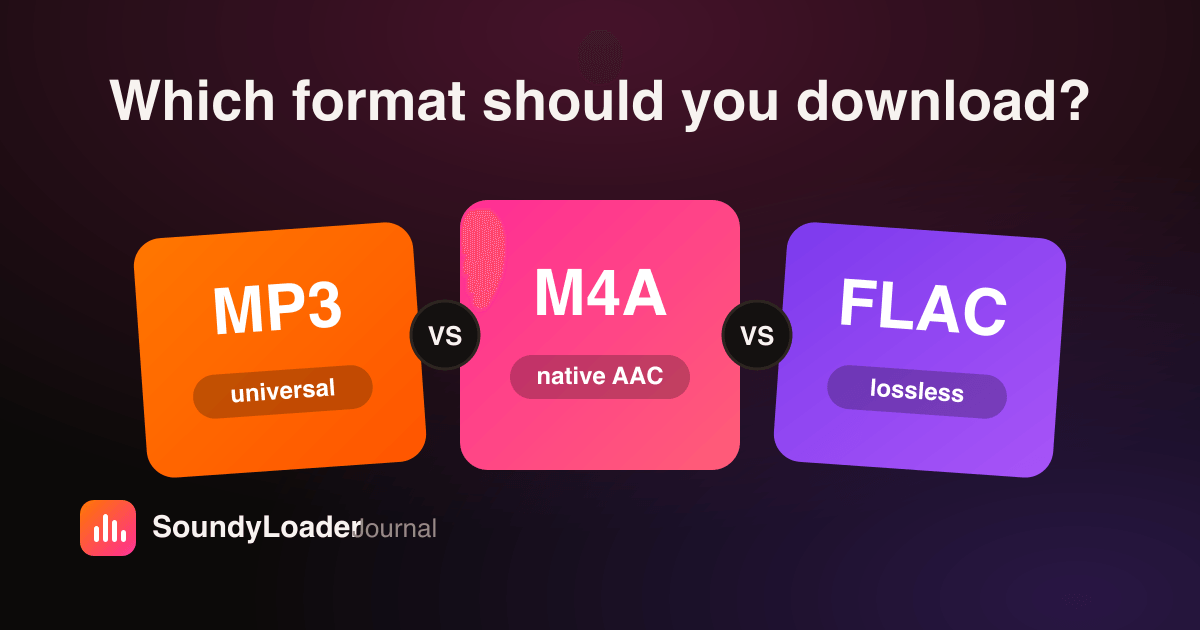
Every time you download a track you face the same three buttons: MP3, M4A, FLAC. Pick wrong and you either waste storage, lose a little quality for nothing, or end up with a file your car stereo refuses to play. Here's the practical comparison — and the one-line answer for each kind of listener.
The 30-second comparison
| MP3 | M4A (AAC) | FLAC | |
|---|---|---|---|
| Compression | Lossy | Lossy (more efficient) | Lossless container |
| Plays everywhere? | Yes — universal | Almost — Apple-first | Desktop & audiophile gear |
| File size (4-min track) | ~9 MB @ 320 kbps | ~7 MB @ 256 kbps | ~25–40 MB |
| Best for | Cars, speakers, sharing | iPhone, Apple Music | Archiving, editing |
MP3 — the universal default
MP3 is the format that plays on literally everything made in the last 25 years: car stereos, smart speakers, ancient iPods, USB sticks in club mixers. The cost is a small transcoding loss when the source is AAC (as SoundCloud streams are), because the audio gets decoded and re-encoded once. For everyday listening, that loss is inaudible on most gear. When in doubt, pick MP3.
M4A — the technically cleanest choice
SoundCloud streams in AAC, and M4A is AAC's native container — so downloading M4A keeps the stream closest to untouched, with minimal re-encode loss. It's the best pick for iPhone and Apple Music users, and modern Android plays it fine too. The one caveat: some older car head units and cheap MP3 players still don't recognize it.
FLAC — for archivists, with one honest caveat
FLAC is lossless, which means it preserves its input perfectly — but it cannot retroactively make a lossy source lossless. A FLAC wrapped around a 160 kbps AAC stream sounds exactly like that stream; it just guarantees zero further loss forever, through every future conversion or edit. That makes FLAC the right call for archiving and DJ editing, and the wrong call if you expected it to sound 'better'. We explain the source-quality ceiling fully in SoundCloud audio quality: is 320 kbps real?
The one-line answers
- Listen in the car / on speakers / share with friends → MP3.
- iPhone or Apple Music library → M4A.
- Archiving a collection or editing sets as a DJ → FLAC.
- Genuinely unsure → MP3. You can always re-download later.
Does the format choice change download speed?
Barely for MP3 and M4A; FLAC files are 3–5× larger, so they take proportionally longer to save. Processing time on SoundyLoader's side is similar for all three. Whatever you pick is remembered for next time, and playlist downloads apply your chosen format to every track in the set.
Frequently asked questions
Is M4A better quality than MP3?
At the same bitrate, yes — AAC (M4A) is a more efficient codec than MP3. For SoundCloud downloads specifically, M4A also avoids one transcoding step, since SoundCloud streams natively in AAC.
Does downloading in FLAC make SoundCloud tracks lossless?
No. FLAC guarantees no further quality loss, but it can't restore quality the lossy source stream never had. It's ideal for archiving, not for enhancement.
Which audio format works on all devices?
MP3. Every phone, car stereo, smart speaker, and portable player of the last two decades plays MP3 files.
What's the best format for DJs downloading SoundCloud sets?
FLAC for editing and archiving (no generational loss when you cut and re-export), or high-bitrate MP3 when club gear compatibility matters.